X (Twitter) Authentication
This guide walks you through setting up X (formerly Twitter) OAuth as a custom authentication provider for your UTXOS application.
Custom authentication providers are available on Pro and Scale plans. The Base plan uses UTXOS-managed X credentials.
Prerequisites
- An X (Twitter) account
- Access to the X Developer Portal
- A UTXOS project on the Pro or Scale plan
X Developer Portal access may require approval. Apply for access if you do not have an existing developer account.
Create X OAuth2 Application
-
Navigate to the X Developer Portal.
-
Create a new application or select an existing one attached to a project.
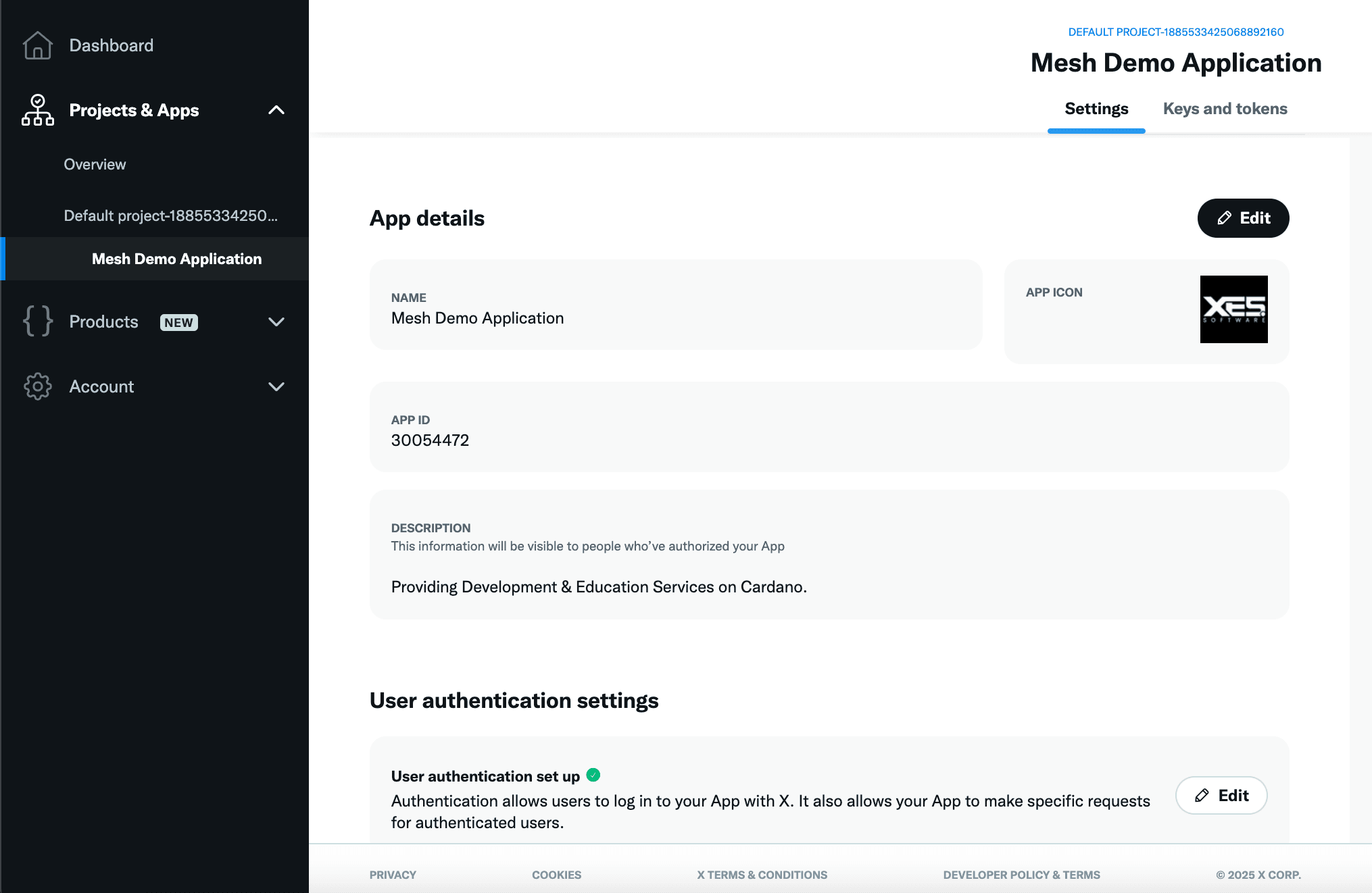
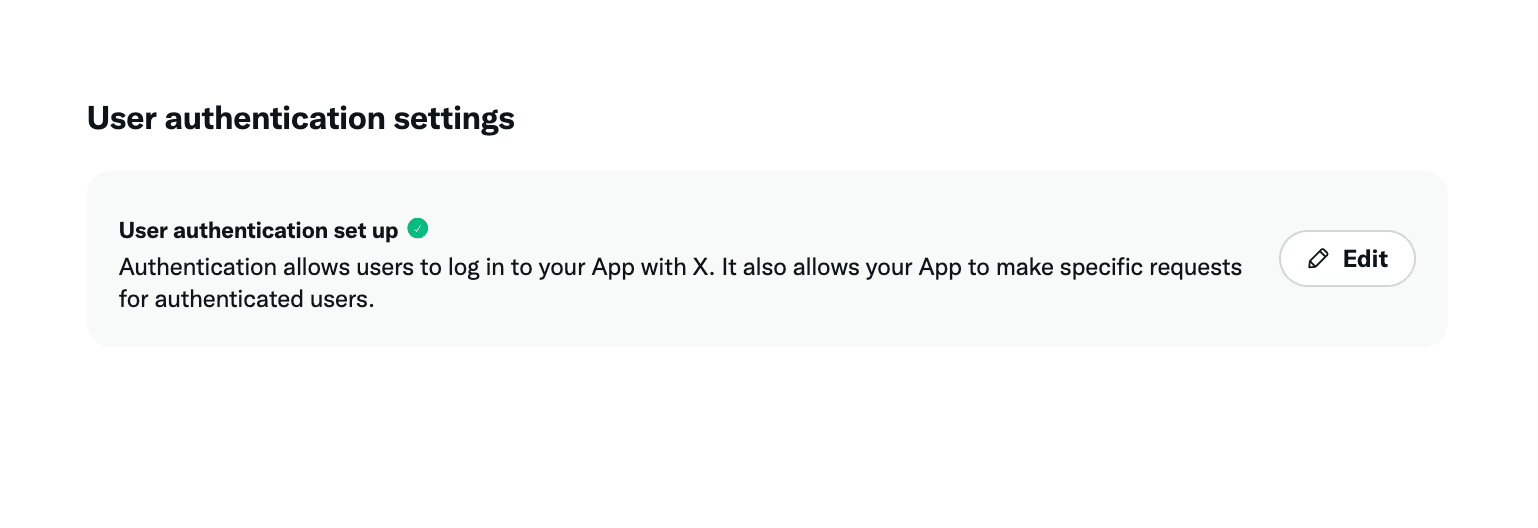
- In the User authentication settings section, click Set up or Edit.
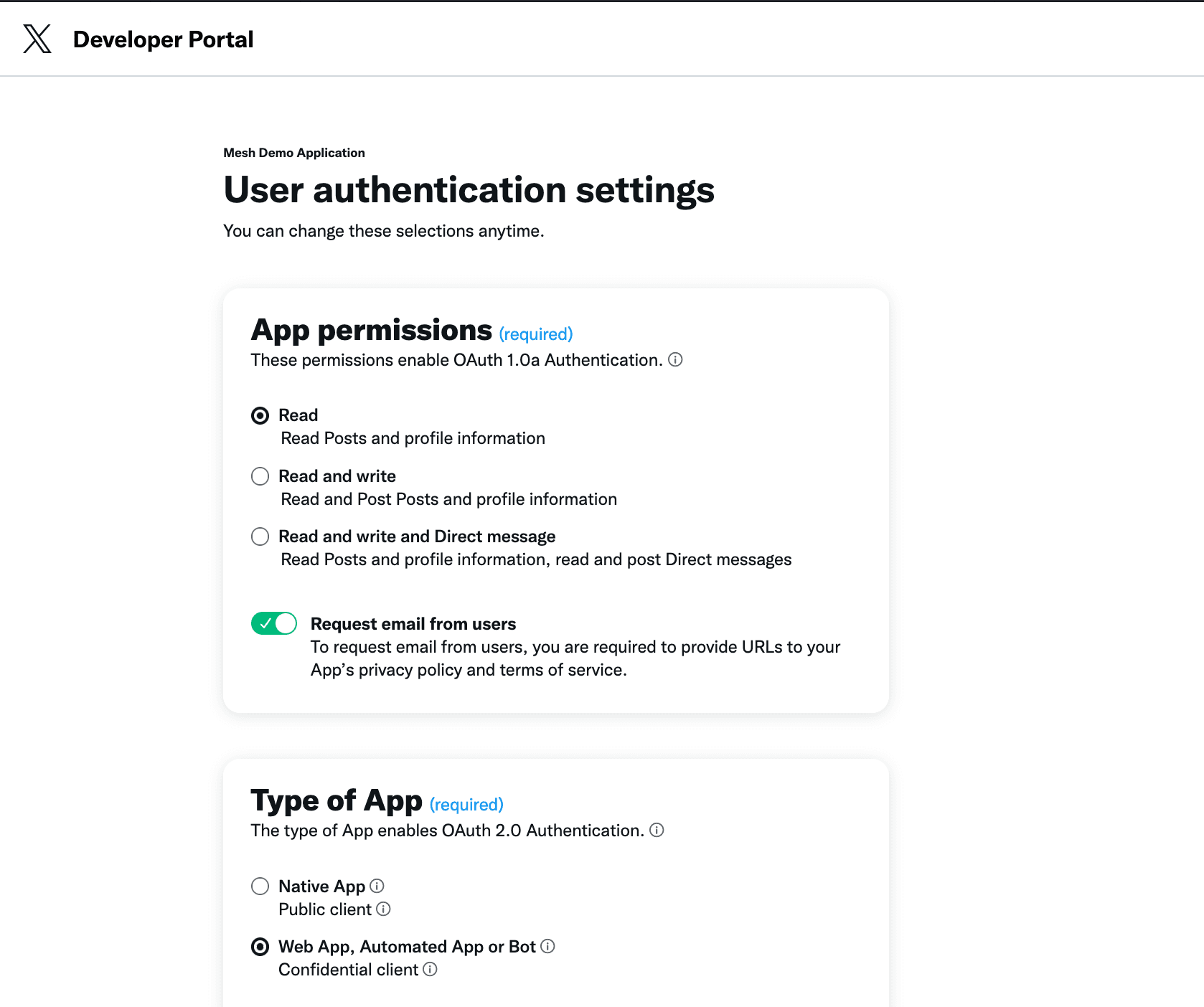
- Configure the authentication settings:
| Setting | Value |
|---|---|
| App permissions | Read |
| Type of App | Web App, Automated App or Bot |
| Request email from users | Enabled |
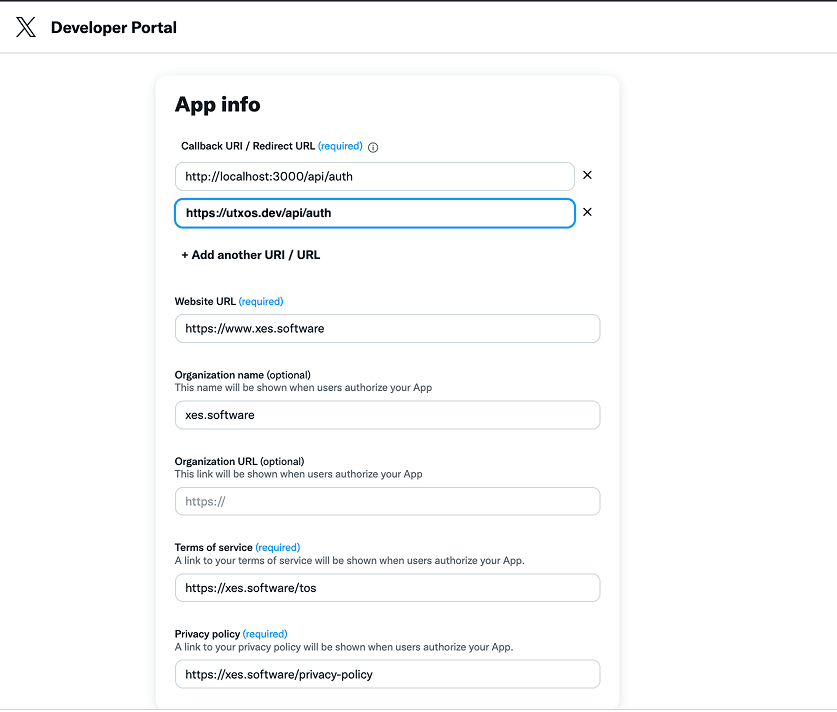
- In the App info section, configure the callback URL:
| Field | Value |
|---|---|
| Callback URI / Redirect URL | https://utxos.dev/api/auth |
| Website URL | Your application URL |
-
Save your changes.
-
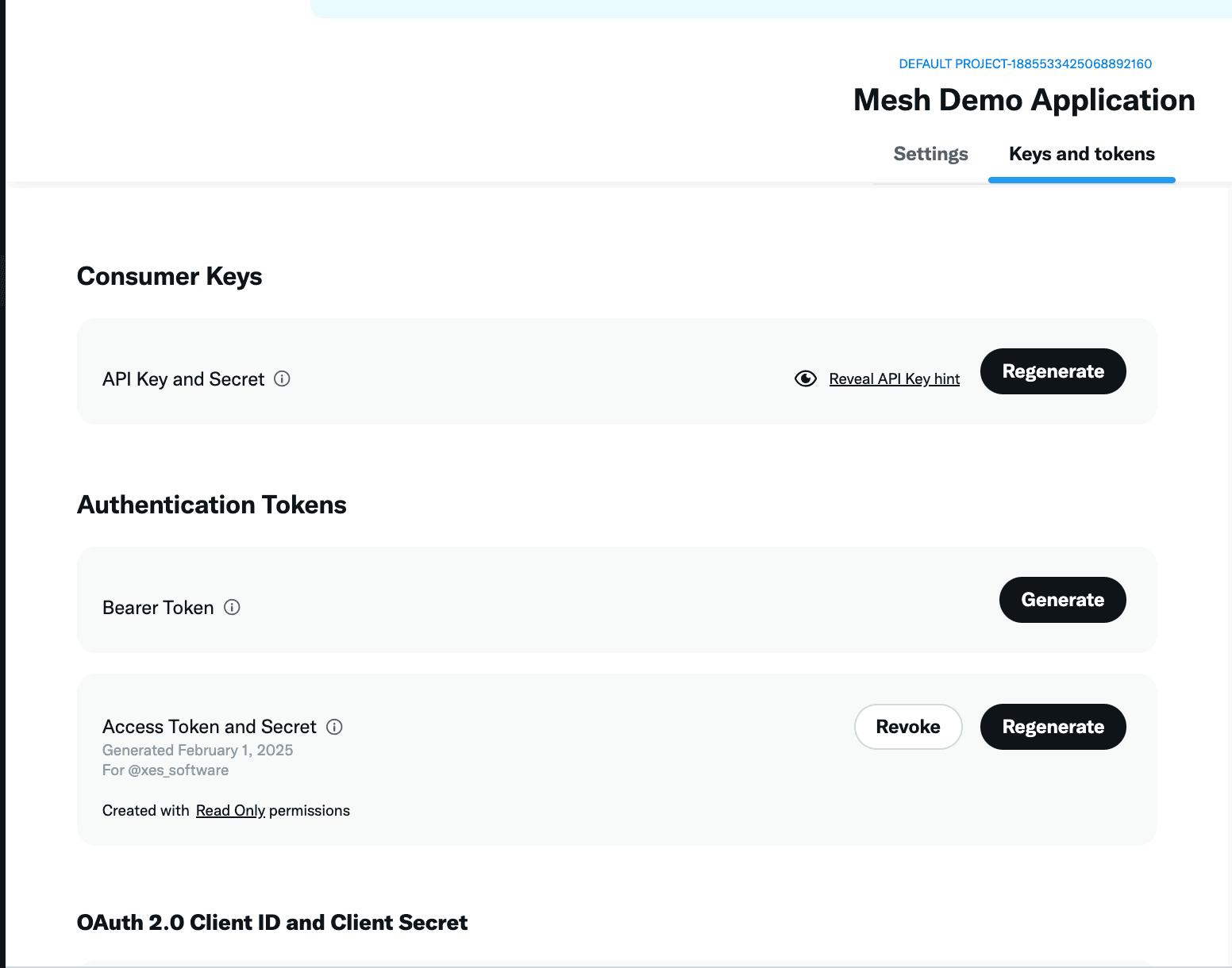
Navigate to Keys and tokens in your application settings.
-
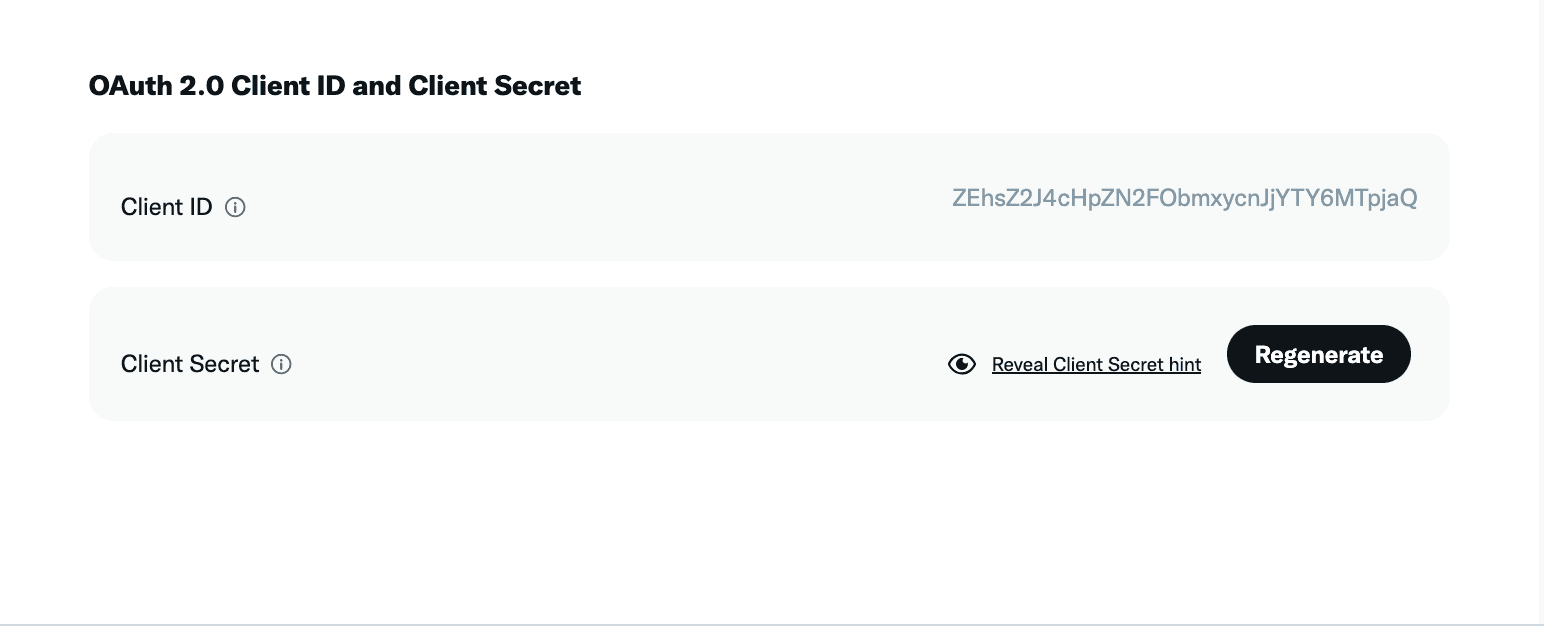
Find the OAuth 2.0 Client ID and Client Secret section and copy both values.
Configure UTXOS Dashboard
-
Open the UTXOS Dashboard and select your project.
-
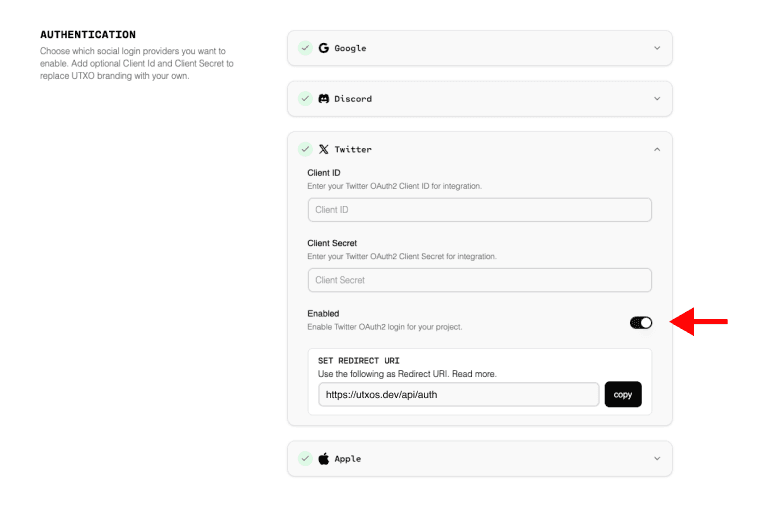
Navigate to Settings > Authentication.
-
Select Twitter from the provider list.
-
Enter your credentials:
| Field | Value |
|---|---|
| Client ID | Your X OAuth2 Client ID |
| Client Secret | Your X OAuth2 Client Secret |
-
Toggle Enable to activate X authentication.
-
Click Save changes.
Verify the Integration
-
Open your application and initiate the wallet connection flow.
-
Select Login with X (or Login with Twitter).
-
Complete the X authorization process.
-
Confirm you are redirected back to your application with an active wallet session.
Troubleshooting
”Callback URL not approved” Error
The callback URL in your X application does not match the expected value. Verify that https://utxos.dev/api/auth is configured exactly as shown.
”This app is suspended” Error
Your X Developer account or application may be suspended. Check the X Developer Portal for account status and any required actions.
”Something went wrong” Generic Error
This often indicates a permissions issue. Ensure your application has the correct permissions set and that email access is enabled.
OAuth 1.0a vs OAuth 2.0
UTXOS uses OAuth 2.0. Ensure you are copying the OAuth 2.0 Client ID and Secret, not the OAuth 1.0a API Key and Secret.
Next Steps
- Enable Third-Party Authentication to use existing X sessions
- Add additional providers to give users more login options